Purchasing: RFQ to GRN
Ask for quotes, raise purchase orders, record goods received.
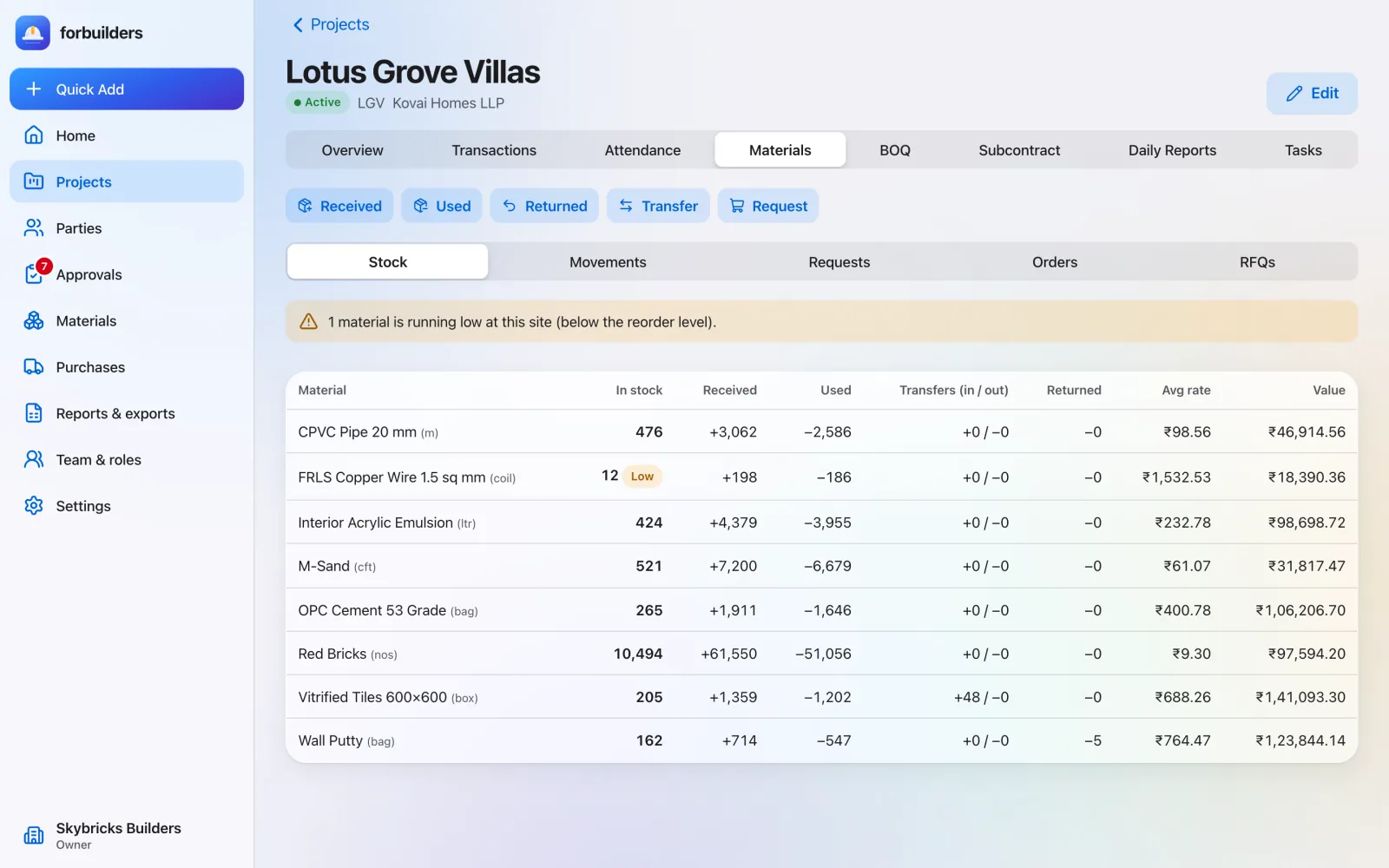
Learn moreRecord what arrives, what is used and what moves between sites. Stock is always current, and low stock is flagged before a pour stops.
The problem
For: Site in-charge, project leads and owners
How it works
Record the material, quantity and vendor. Create the purchase bill at the same time if you like.
Use on site, move to another project, or return to the vendor.
Stock below the reorder level shows a red “low” badge and appears in the daily summary.
What you get
Everything on this page is live in forbuilders today.
FAQ
Yes. Material used and received (without a bill) save offline and sync later. Transfers need a connection.
Each material has a reorder level. When stock on a project falls below it, the item gets a red badge and is listed in the owner’s daily summary email.
Yes. When you receive material with a vendor and rate, you can create the purchase bill in the same step.
Works well with
Ask for quotes, raise purchase orders, record goods received.
Learn moreSite entries save with no signal and sync when it returns.
Learn moreReady-made Excel and PDF reports, from ledgers to profit.
Learn moreFree during early access. Sign up with Google or email, add a project and invite your team in about five minutes.