Start free Sign in

For the site in-charge. Update in seconds, right on site.

Mark attendance with GPS punch-in, log expenses, receive material and post the daily report with photos, even with no signal.

  • Works offline
  • GPS punch-in
  • Photo reports
  • Big buttons

What you get

Your day on site, quicker.

Every entry is a few taps, and nothing is lost when the signal drops.

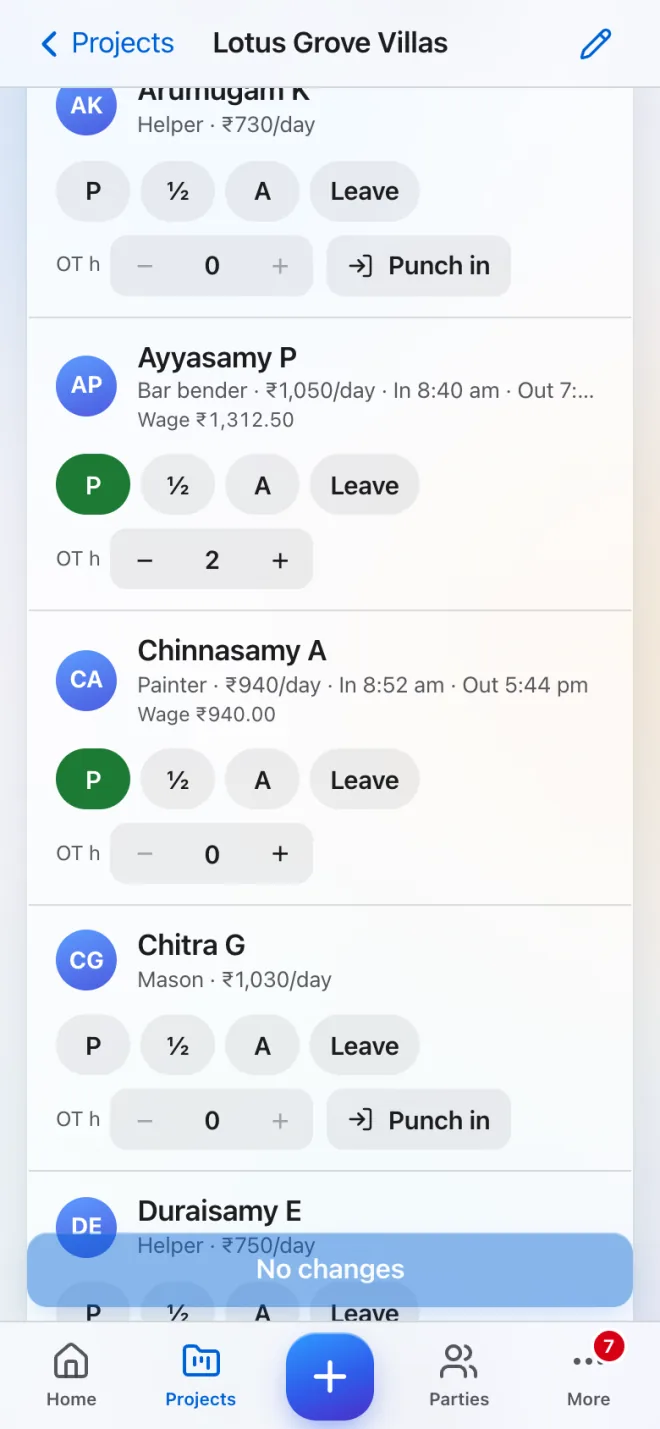
  • Attendance with punch-inPresent, half day, absent or leave, plus overtime. GPS records where and when.
  • Expenses with the bill photoFuel, food, transport, tools and more, saved even offline.
  • Material in and outRecord deliveries, use on site and goods received against a purchase order.
  • Daily report with photosWork done, manpower, weather and issues.
  • TasksSee what is due and update progress.

See it

What it looks like.

Daily attendance register for a fictional demo site: 8 present, 2 half day, workers with role and day rate, Present, Half day, Absent and Leave buttons, overtime steppers, and punch-in and punch-out times
Attendance register with punch-in and overtime
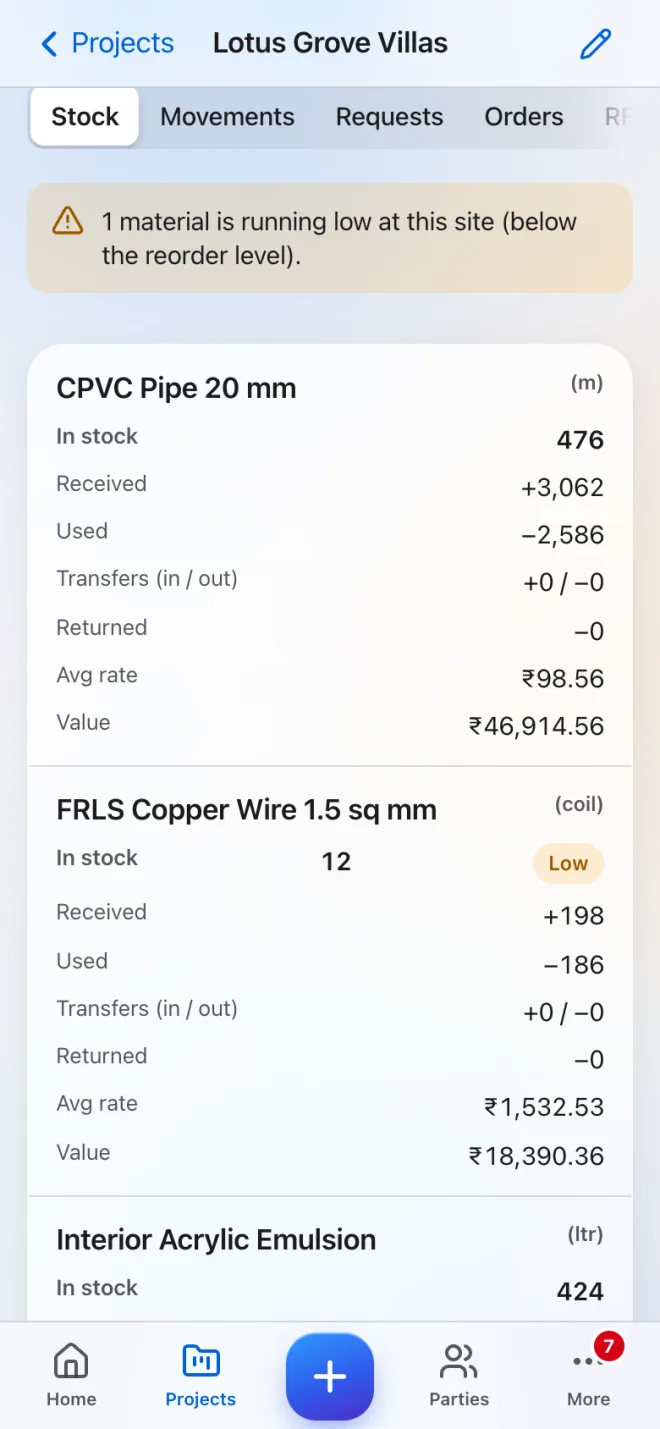
Material stock for a fictional demo site: a banner saying one material is running low, copper wire marked Low, and cement, bricks, M-sand, tiles and other materials with stock, average rate and value
Stock on site with a low-stock alert

Features

The features you will use most.

Labour attendance & wages

Attendance with GPS punch-in, overtime and wage totals for any period.

Learn more

Materials & inventory

Receive, use, transfer and return stock, with low-stock alerts.

Learn more

Daily progress & tasks

Today’s work, manpower, issues and photos, plus tasks with due dates.

Learn more

Works offline

Site entries save with no signal and sync when it returns.

Learn more

FAQ

Good questions.

What if there is no signal at the site?

Attendance, expenses, daily reports with photos, material used and received, BOQ progress and tasks save on the phone and sync later.

Can I see wages or the company’s money?

No. Site In-charge members see site work for their own projects, not money totals or wages. They see only their own expenses.

Do I need a new phone?

No. forbuilders runs in your phone’s browser and installs to the home screen.

Want your company on forbuilders?

Send this page to your owner in one tap.