Start free Sign in

Projects and dashboard. Every site, at a glance.

Each project gets its own budget, progress and profit view. The dashboard shows what happened across your sites today, without a single phone call.

The problem

Knowing what happened on site today should not take five phone calls.

For: Owners, project leads and finance
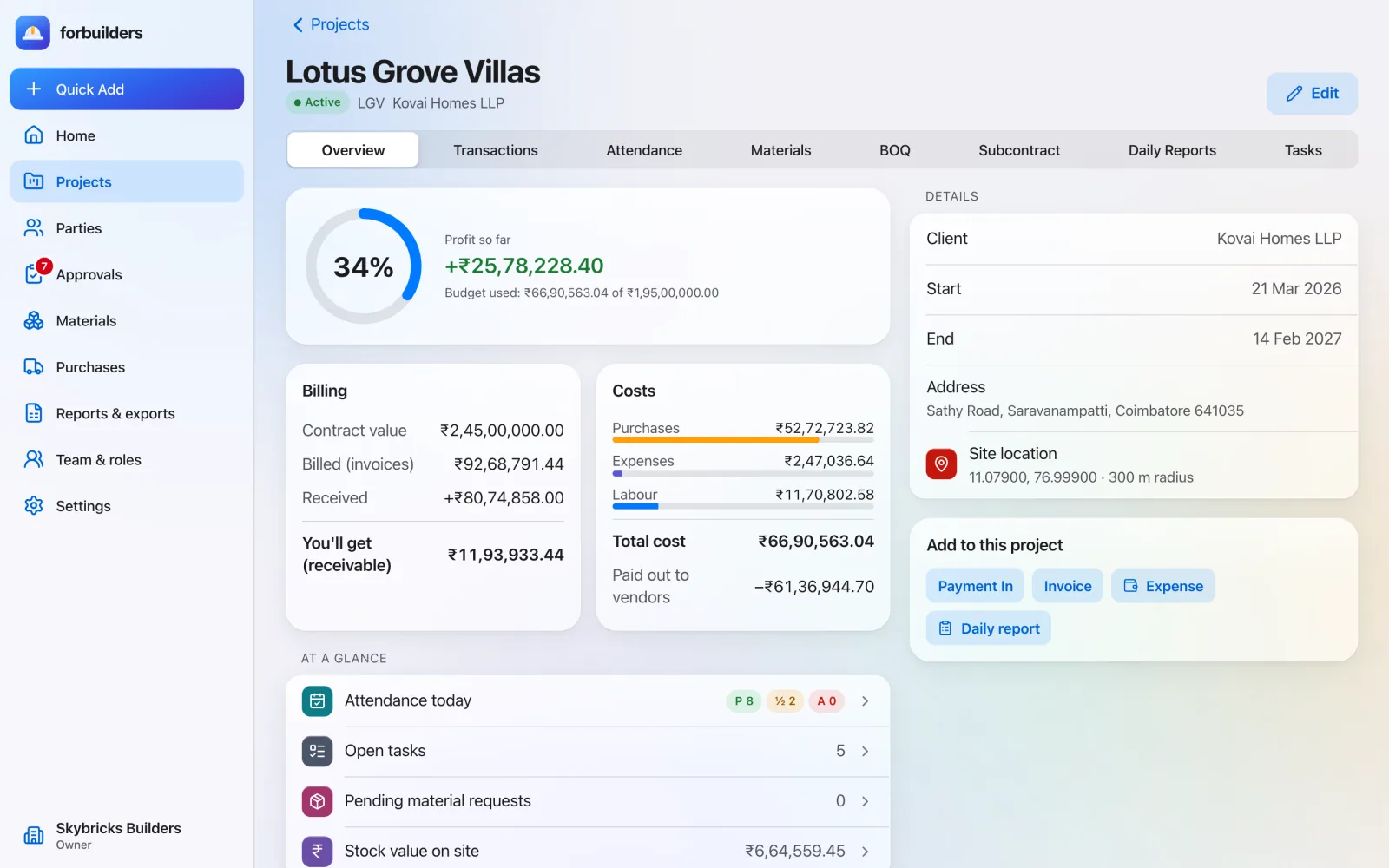
Project overview for the fictional demo project Lotus Grove Villas: 34% progress ring, profit so far of about 25.8 lakh rupees, budget used against a 1.95 crore budget, and billing figures for contract value, billed, received and receivable
Project overview with billing, costs and profit so far

How it works

Projects & dashboard in three steps.

01

Add a project

Name, client, address, contract value, budget and dates. Set the site location from your phone.

02

Record as you go

Money, attendance, materials and daily reports all land on the right project.

03

Open the dashboard

Cash in and out, attendance, requests and profit, for the projects you are allowed to see.

What you get

The details.

Everything on this page is live in forbuilders today.

  • Project overviewContract value, billed, received, still to come, total cost and budget used.
  • Profit so farBilled minus purchases, expenses and labour. It shows “Loss so far” when the number is negative.
  • At a glanceAttendance today, open tasks, pending material requests and stock value on site.
  • Home dashboardYou’ll get, you’ll give, this month’s cash in, cash out and expenses, active projects, present today and pending requests.
  • Cash flowThe last six months of cash in and out, plus your ten most recent transactions.
  • Daily summary emailOwners can get a summary every evening at 7 pm, or at the hour they choose. One click to unsubscribe.

FAQ

About projects & dashboard.

Who can create a project?

The Owner and Project Leads. A Project Lead who creates a project is added to it automatically.

What is in the daily summary email?

Today’s and this month’s cash in, cash out and expenses, what you will get and give, today’s attendance per project, approvals waiting, pending material requests, low stock and the last backup result.

Can a site in-charge see the money figures?

No. Site In-charge members see site work, not money totals or wages.

Works well with

Related features.

Money ledger & GST

Payments, expenses, invoices and bills, with the GST split done for you.

Learn more

Reports

Ready-made Excel and PDF reports, from ledgers to profit.

Learn more

Approvals

Decide who approves what. Nobody approves their own entry.

Learn more

Run your next site on forbuilders.

Free during early access. Sign up with Google or email, add a project and invite your team in about five minutes.